Backlink Templates
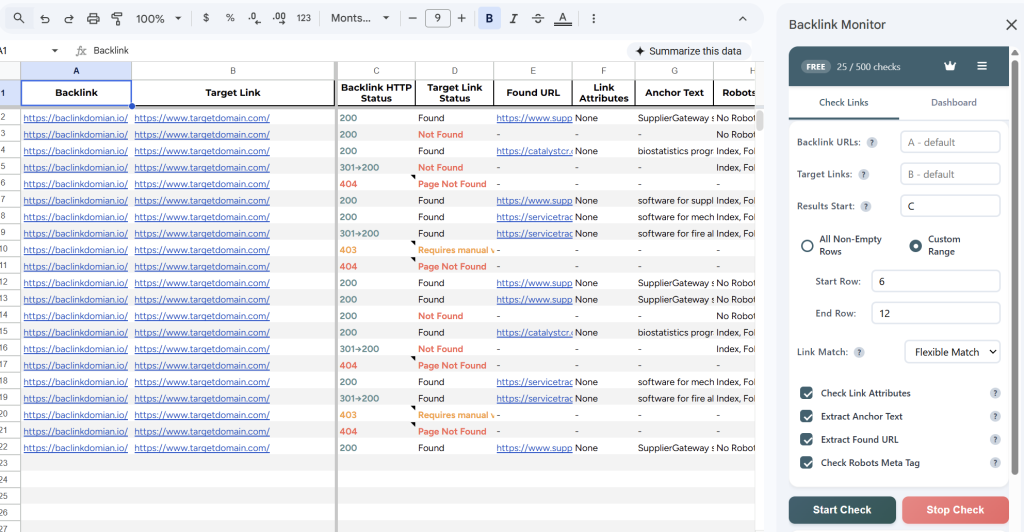
Get started quickly with our ready-made Google Sheets template. It comes pre-formatted with the two required columns — Backlink URL and Target Link — along with helpful notes explaining what to enter in each one.
How to use it: Open the template below and go to File → Make a copy to save it to your own Google Drive. Replace the example URLs with your own and start monitoring.
Once you run Backlink Monitor, results will appear in new columns next to your data. Color-coded statuses make it easy to spot issues at a glance. Here’s an example of what that looks like: